
Starter screen
After logging in, you arrive at the main workspace, which combines the Translator and Smart Assistant for quick translation tasks. Below, you can view your recent jobs and files in a dashboard overview.
Translator
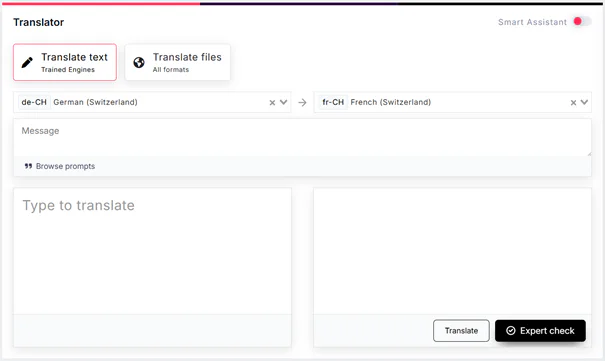
The Translator lets you translate text by pasting it in or by uploading a file.

Languages. Select the source and target languages here. This view supports only one language pair at a time; if you need more than one target language, use the file translation view.
Message. Write your prompt here, or click “Browse prompts” to choose a prompt that fits your text. When you select a prompt, your style preferences, such as terminology, are applied automatically.
Expert check. You can optionally send the generated translation to our team for review.
- Translate files

- Languages
- Embedded terminology
- Prompts – browse or write
- Expert check
Smart assistant
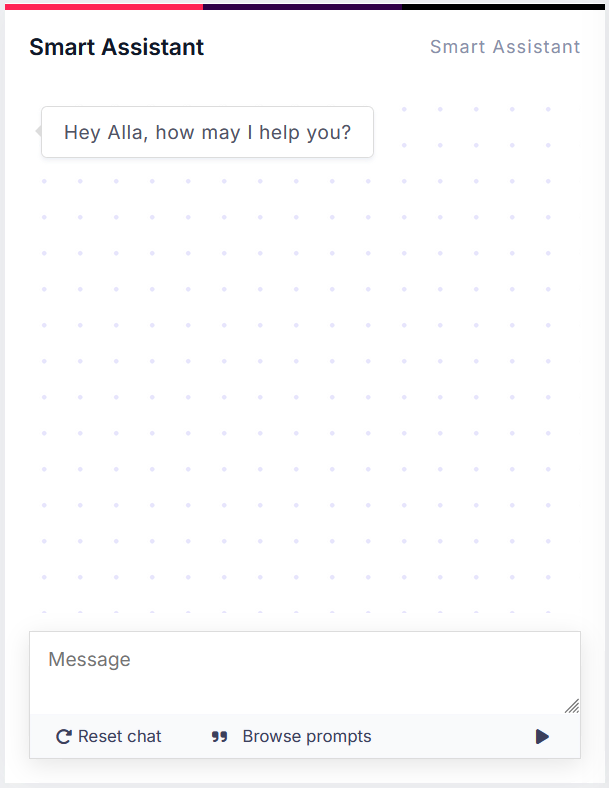
Toggle the Smart Assistant button to open the Smart Assistant view.

Here, you can choose from the same prompt library by clicking Browse prompts or write a new prompt from scratch. The assistant can help with terminology research, translation alternatives, text rewrites, etc.
Recent jobs
This section lists your most recent translation projects. It shows the same view as Tasks -> File translations.
What is a job in KITT:: Hub? A Job in KITT::Hub represents a collection of content that you want to translate or copywrite. Think of it as a project where you organize everything you need for the task at hand, including files, settings, and progress tracking.

Recent termbases
This section lists your most recent termbases. It shows the same view as Resources -> Termbases.

Recent invitations
This section lists your recent invitations to rework a file. It shows the same view as Reworks -> Invitations.
Recent reworks
This section lists the jobs you were invited to rework. It shows the same view as Reworks -> My reworks.
Tabs
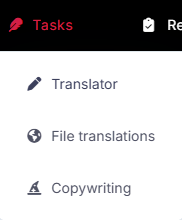
Tasks:
- Translator. Translator/Dashboard view.
- File translations. Translation rpojects view.
- Copywriting. Copywriting projects view.
Reworks:
- Invitations. Your invitations to rework a file or project.
- My reworks. A list of translation and copywriting jobs you were invited to rework.

Guidings:
- Prompts. A library of prompts that can be used in the Translator or Smart Assistant.
- Guidelines. Your style guides.
- Copy templates. Templates that can be used to create new copywriting projects.

Resources:
- Termbases. Your glossaries.
- Translation memories. Your saved translations that are used in pre-translation or concordance search.
- AI Worker. A list of tasks performed by AI agents, either individually or as part of a workflow.
- Dictionaries. A collection of terms, such as company names, or spelling variants that should not be translated or flagged as errors.